Family setup
How to set up tvusage for multiple kids across multiple devices
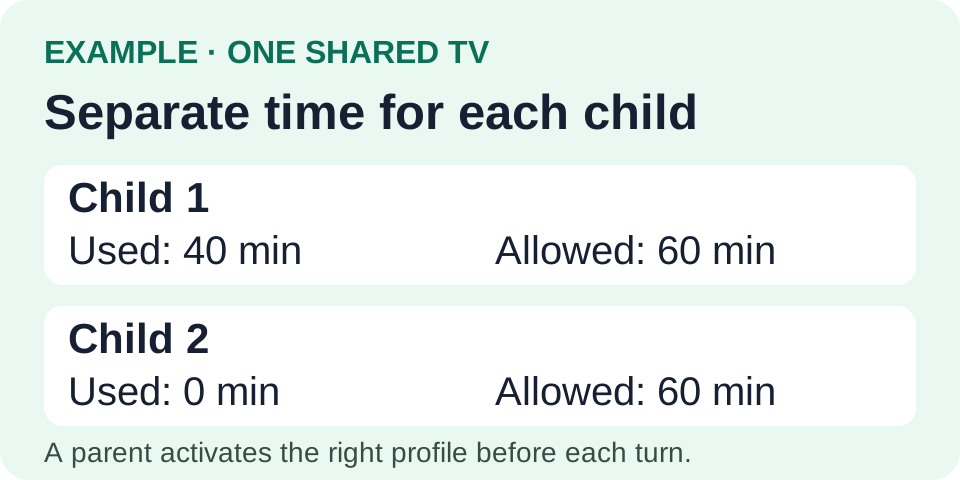
Create one profile for each child, then activate that same synced profile on the devices they use. Siblings keep separate usage histories and allowances, even when they share a TV. A parent chooses the active profile when another child takes a turn.
Set up the devices and profiles
- Install tvusage on each child device.
Complete the in-app permission and consent steps, and set a parent PIN. Install tvusage Remote on the parent’s Android phone, or use the web remote, and create your account. Remote manages supervised devices; it does not replace tvusage on them.
- Connect the TV and create each child’s profile.
Open Settings → tvusage remote → Sign in with your Remote account. Then open Profiles → New, enter the child’s name, and choose Create. Create profiles in tvusage first; Remote can edit synced profiles with Pro.
- Activate the same profile on other devices.
On each device, open Settings → tvusage remote → Sign in with the same account. Under Profiles, select the existing child profile and choose Activate. Do not create another profile with the same name. Configure that profile’s daily limits.
Switch children, keep their allowances
On a shared TV, a parent activates the next child’s profile before their turn. tvusage does not automatically identify who is watching. If children watch together, that session belongs to the active profile; tvusage does not split it between viewers.
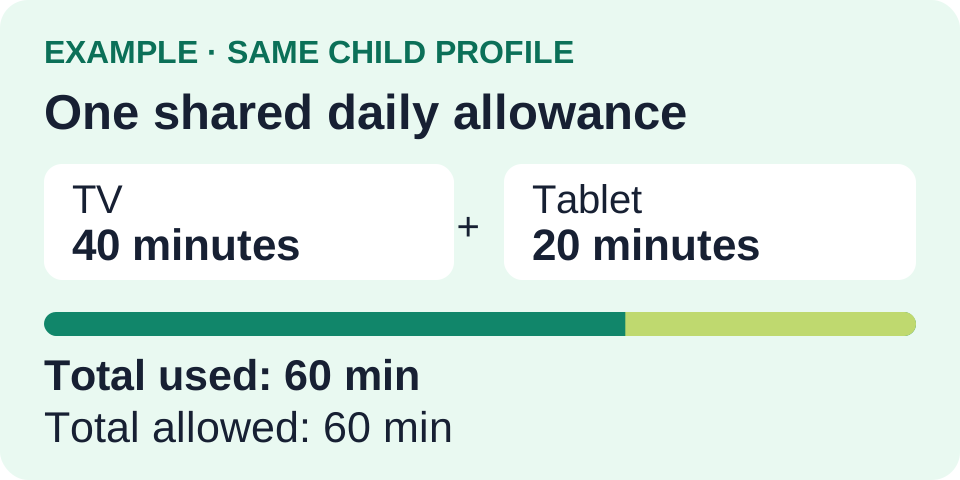
For one overall daily allowance across a child’s devices, configure the profile’s Device screen-time rule. Forty minutes on TV plus twenty on a tablet uses sixty minutes of the same budget. Apps marked Unlimited do not consume that overall budget.
Check the result in Remote
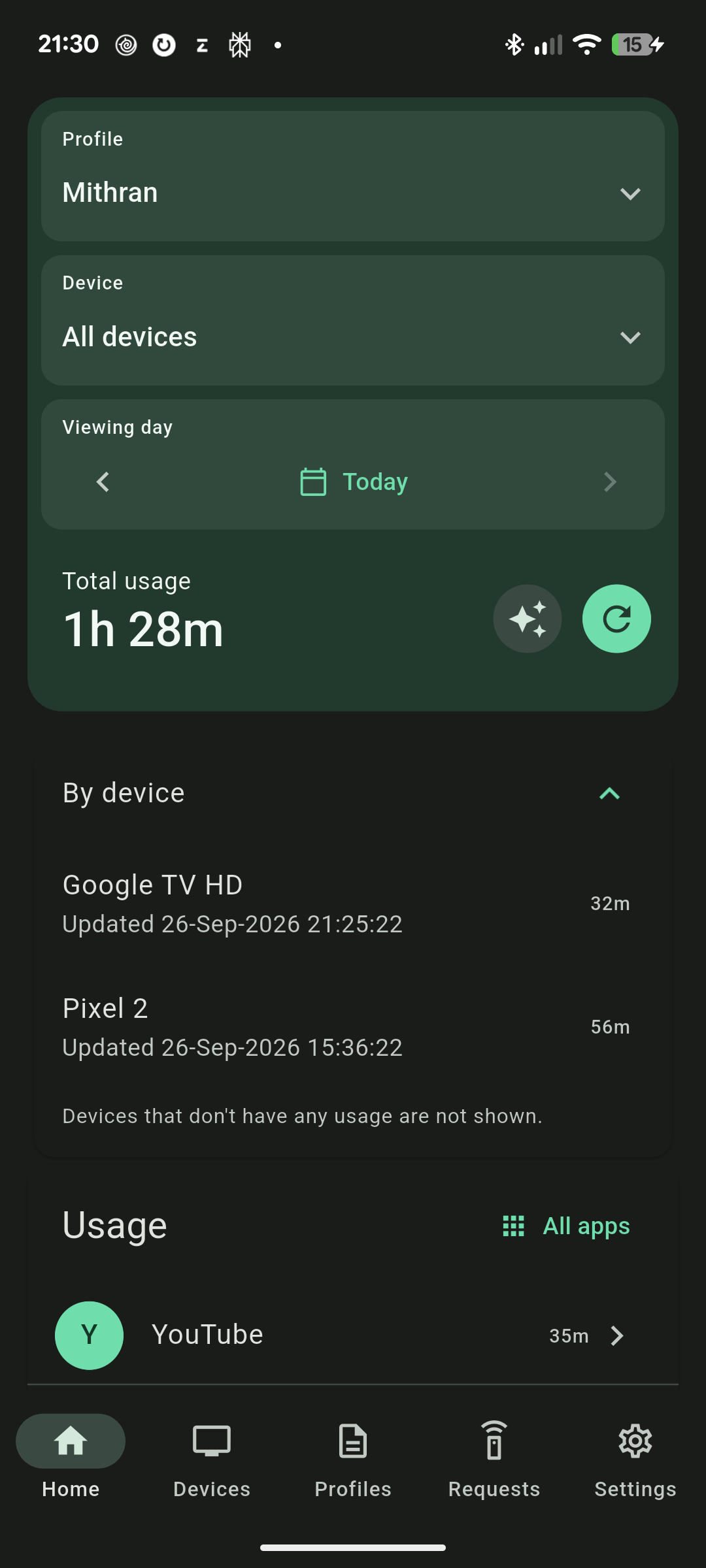
Select the child’s profile and All devices in Remote. Review the combined total and each device’s contribution. The device rows are already included in the total. Check the other child’s profile separately to confirm their allowance remains independent.
Cross-device synchronization depends on devices connecting and updating; it is not an instant guarantee. If totals look stale, reconnect the devices, refresh Remote, and check the profile selected on each device. Per-app limits follow app identifiers, so YouTube’s TV and mobile variants can have separate rules.